
The JeeMon story continues. Here’s a fun little panel for controlling some switches around the house:
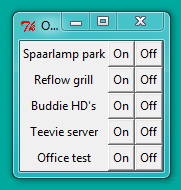
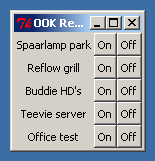
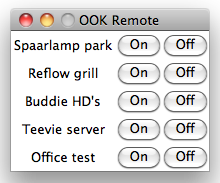
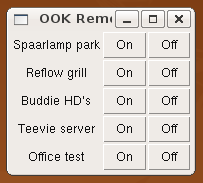
These screen shots show Windows (7 and 2K), Mac OS X, and Linux Ubuntu, respectively – long live diversity!
This GUI was created with these configuration settings:
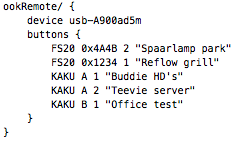
Those settings were loaded by adding this line to the main application code:

Which in turn loaded the following “ookRemote.tcl” source file I wrote, as module / rig:
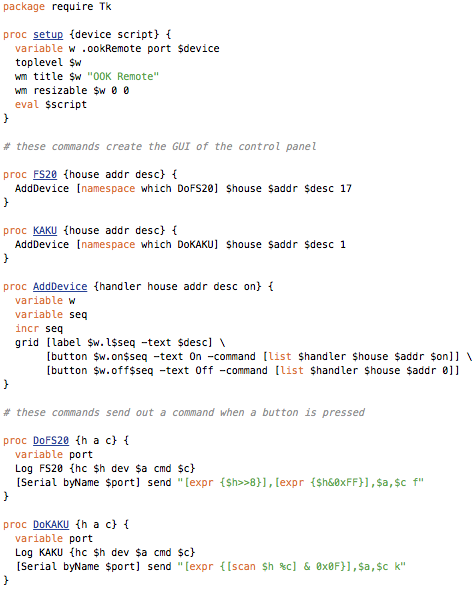
That’s the entire app. Adding lipstick (i.e. a fancier visual design) is left as exercise for the reader.
Note how the design is split in a configuration section and a source code file – I’m probably going to use this approach often in JeeMon. The idea is that people who don’t care about the code behind all this stuff can just adjust the configuration file (using a visual interface, hopefully, one day). While those who like to tinker can view the full source code, and explore and extend it at will, and more importantly: ad infinitum.
It’s called open source for a reason!
PS. There’s another major reason for the split between configuration settings and source code files: turnkey deployment. You can put all the source code files in a ZIP archive called “JeeMon-rigs.zip”, so that all you need for a new installation with JeeMon, is: 1) your archive, 2) the proper JeeMon runtime, and 3) a config file to match the target setup. The config file is optional, btw – more on that another time…
Are the switchers connected to a jeenode or are other devices?
No – this controls FS20 and KAKU switches, with the signal being sent from a JeeLink (the FS20’s work fine @ 868 MHz, the 433 MHz signals have too limited range to be practical, btw),