
This is what I see on my screen these days:
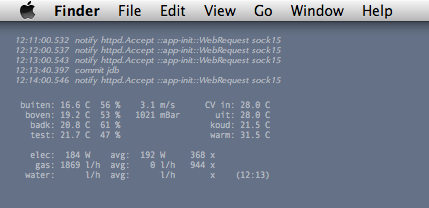
This text is not inside a window but on the desktop, i.e. it gets covered up by all regular windows (there is always Exposé’s F11 shortcut to uncover it).
The text is barely readable, not only using a tiny font but also using 50% transparency. This is intentional: the text is not there to distract but to offer me a quick way to check on the status of my permanently-running setup on the JeeHub with embedded MMnet1001 Linux module.
It’s all done through a little utility called GeekTool, there are no doubt similar ones for Windows and Linux. Geektool periodically executes some shell commands and shows the output on the desktop.
The first listing displays the last 5 lines of the log output:
ssh propie tail -5 jee_out
The second listing is plain-text output generated by a new web page in JeeMon:
wget -q -O- http://propie/data/current
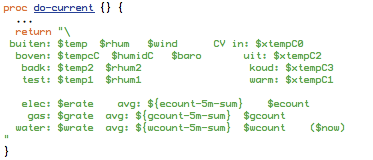
Adding that page to JeeMon was trivial (data collection details omitted):
Now, I can always see the latest readings and the status of the JeeMon server.
P.S. I will be away until May 3rd and won’t be able to respond to emails and comments until then. This weblog will be on auto-pilot for a week, enjoy!