
The Odroid/U2 mentioned yesterday also has the option to add an eMMC card, right next to the µSD card slot – I went for a whopping 64 GB “SSD” in this case:
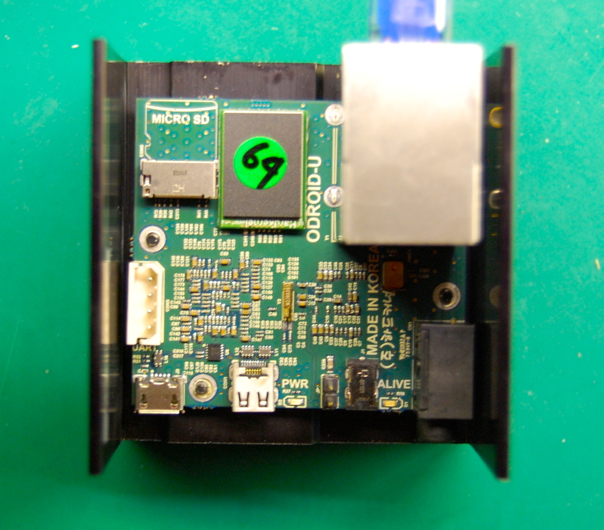
The reason to use this, is that it’s indeed nearly three times as fast:
# hdparm -tT /dev/mmcblk0

/dev/mmcblk0:
 Timing cached reads:   1604 MB in  2.00 seconds = 802.41 MB/sec
 Timing buffered disk reads: 146 MB in  3.02 seconds =  48.40 MB/sec
That’s faster than the maximum transfer rate of USB 2.0, by the way.
But how do you set these things up? The bottom view shows yet another connector, yuck:
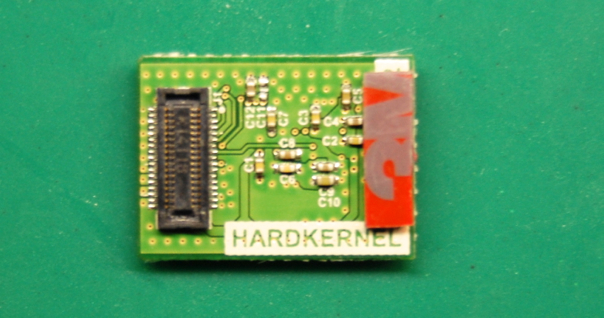
It turns out that you can get an adapter from the Odroid/U2 shop:
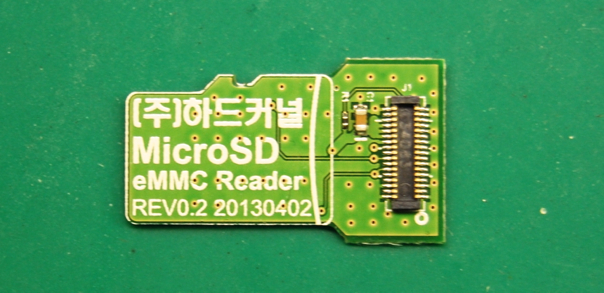
That turns it into a µSD card, but unfortunately it wasn’t recognised in my Mac laptop. Luckily, this concoction did seem to do the trick:
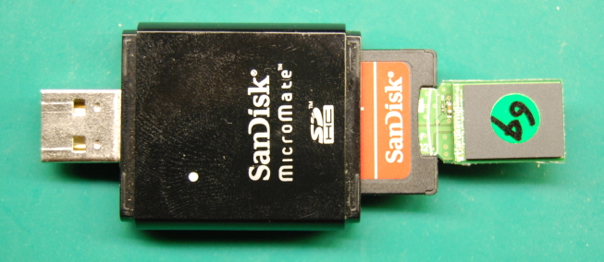
Through this, I was able to burn the Debian disk image onto it, and through some clever logic in the bootstrap loader, the eMMC card simply takes precedence when present and starts up fine with the same device name as the initial µSD card (which now ends up on /dev/mmcblk1 if also present).
One last step is needed to resize the root partition to take full advantage of the entire eMMC card. Google found this article which explains the whole (nasty) procedure.
Final result:
# free
             total       used       free     shared    buffers     cached
Mem:       2031632      77660    1953972          0       9540      37420
-/+ buffers/cache:      30700    2000932
Swap:            0          0          0
And… tada!
# df -H
Filesystem      Size  Used Avail Use% Mounted on
rootfs           62G  1.2G   58G   2% /
udev            1.1G     0  1.1G   0% /dev
tmpfs           209M  222k  208M   1% /run
/dev/mmcblk0p2   62G  1.2G   58G   2% /
tmpfs           5.3M     0  5.3M   0% /run/lock
tmpfs           417M     0  417M   0% /run/shm
/dev/mmcblk0p1  133M  8.5M  124M   7% /boot
Neat, neat, neat – although the total system cost is close to $200 at this point, due to the expensive eMMC memory card – five times the cost of a Raspberry Pi, but with four times the RAM, a comfy 60 GB of fast SSD storage, and probably 5..10 times the performance.
It’s not for everyone and it has no GPIO pins to hook anything up, but I like it!